手動で作ったリソースをCloudFormationのスキャンやCDK importを使って取り込む
よ〜んです。
手動で作成したリソースをCloudFormationやAWS CDKで取り込むことをした事がなかったため、練習と検証を兼ねてやってみます。
構成図
今回手動で作成した構成はこんな感じです。
architecture-beta
  service waf(logos:aws-waf)[WAF]
  service cf(logos:aws-cloudfront)[CloudFront]
  service s3(logos:aws-s3)[S3]

  waf:R -- L:cf
  cf:R -- L:s3
OACが自動生成されていたり、CloudFrontのFreePlanのおかげでAWS WAFがついていたりします。
手順
- CloudFormation のIaCジェネレーターのスキャンを実施
cdk migrationを実行cdk importを実行cdk driftを実行
CloudFormation のIaCジェネレーターのスキャンを実施
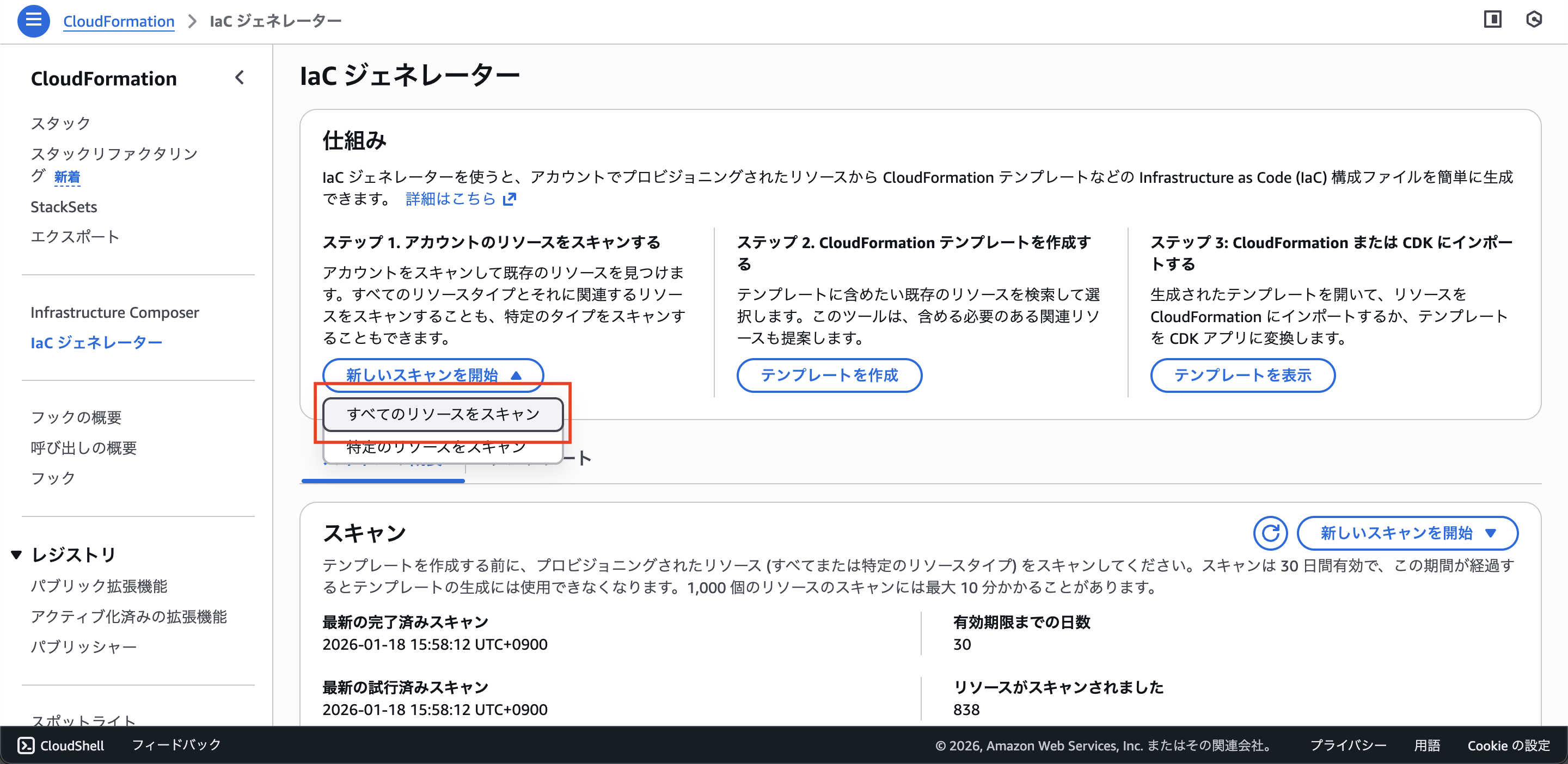
とりあえずフルスキャンします。
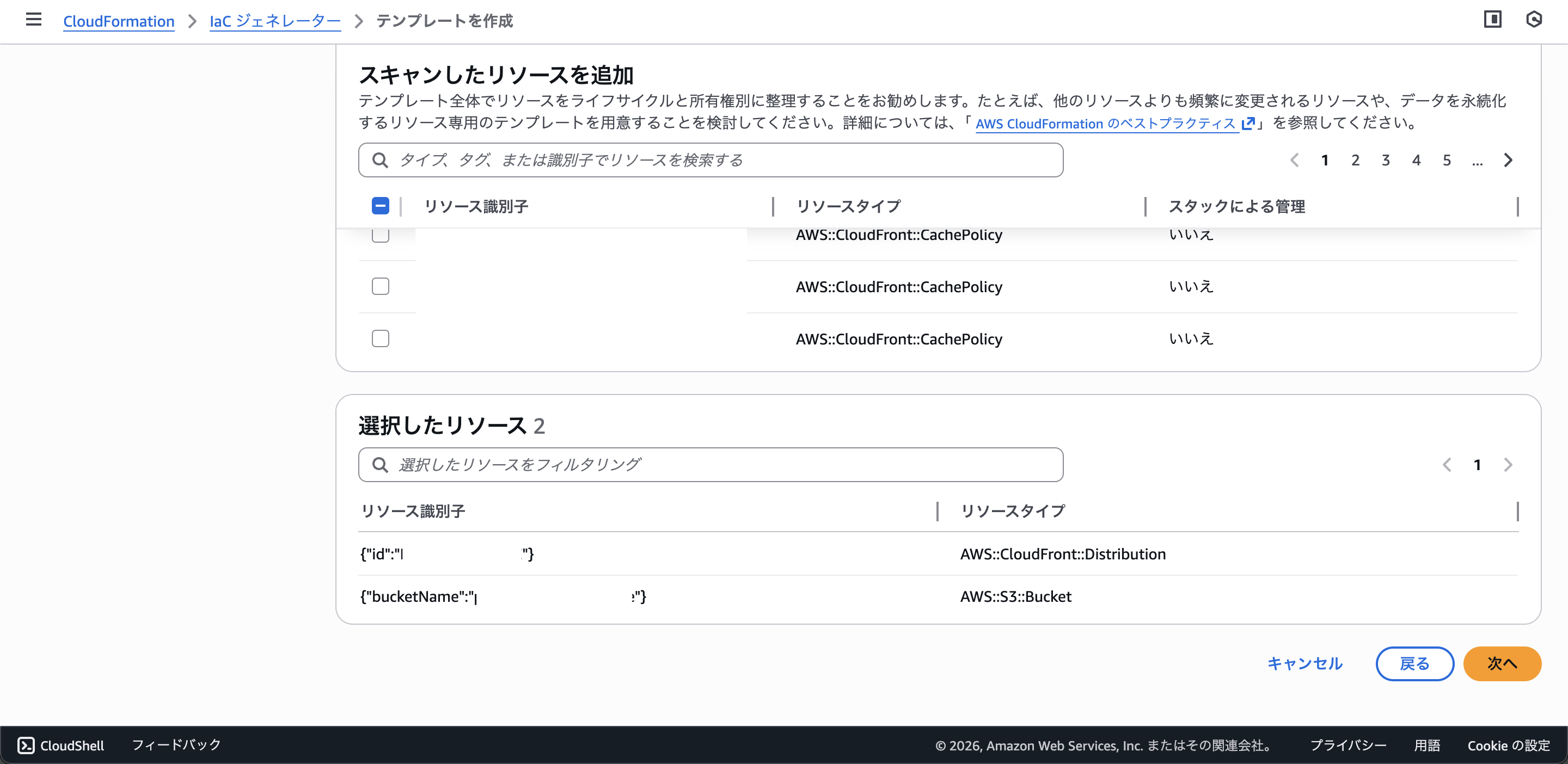
手動で作成したS3とCloudFrontを検索して、リソースを追加します。
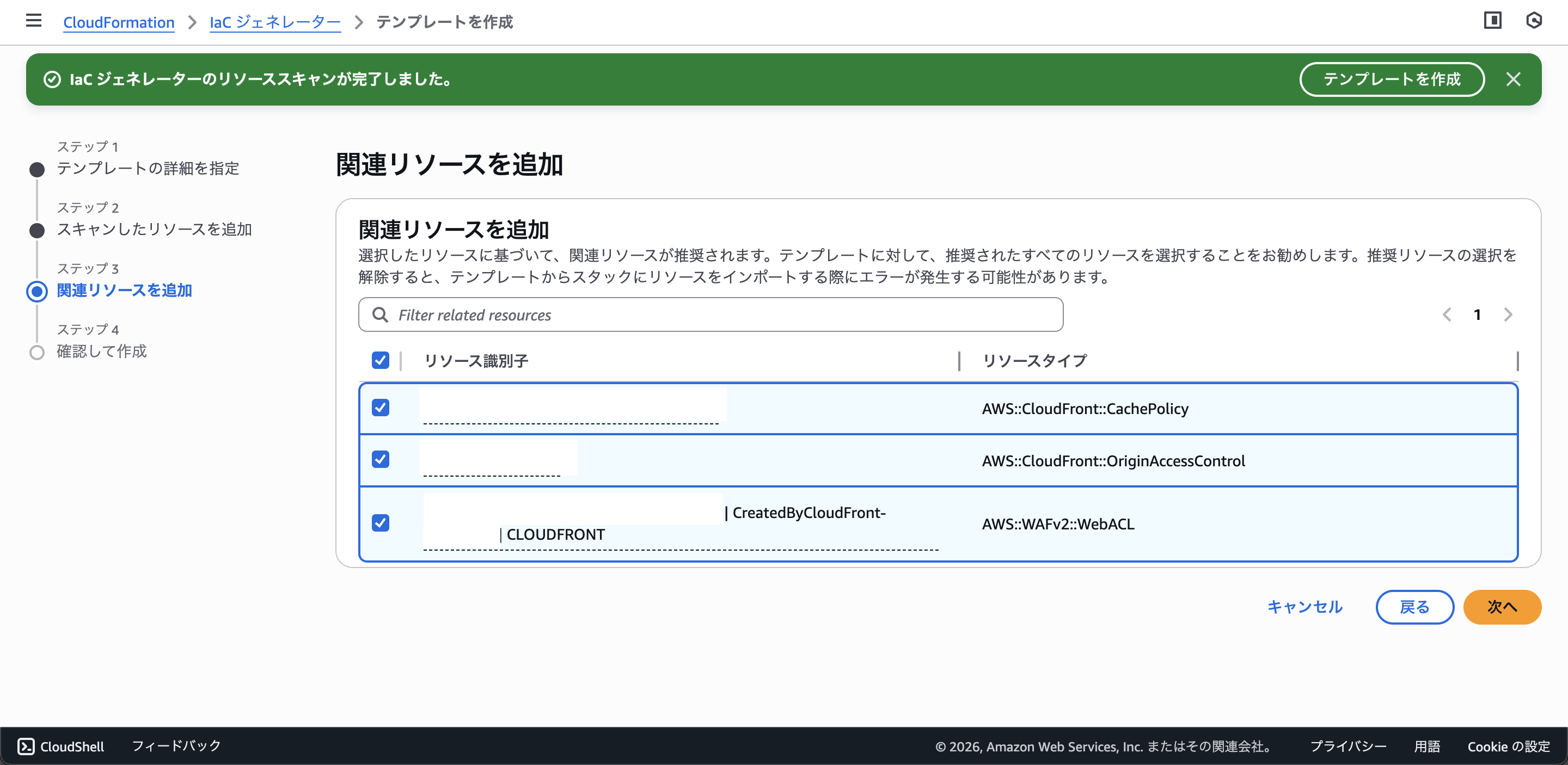
関連リソースを追加、これはありがたい。
自動生成されるようなリソースもこっち側で探して取り込む必要があるのかと思っていたので、助かります。
生成結果を確認します。
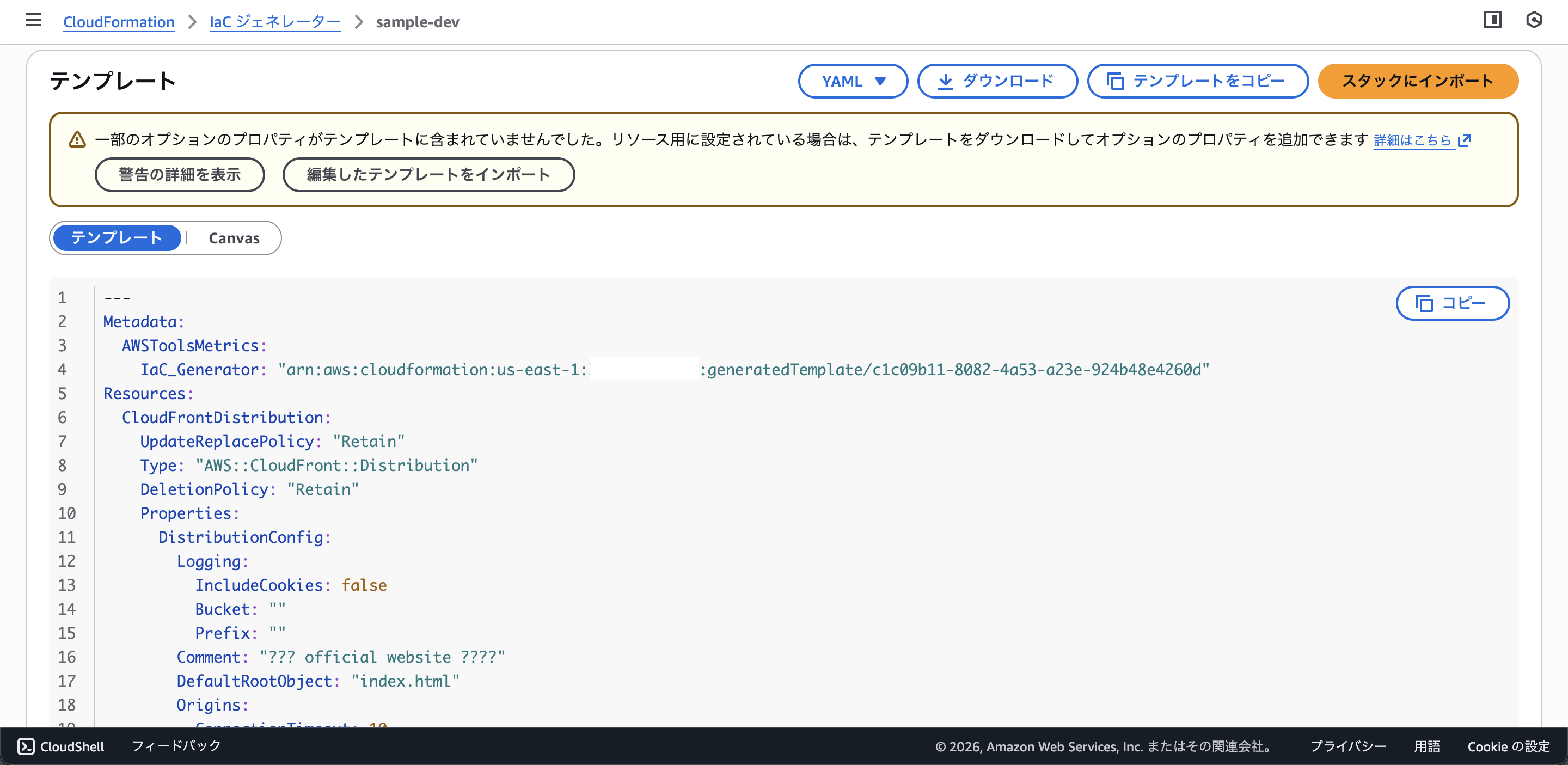
CloudFormationのテンプレートが表示されていますね
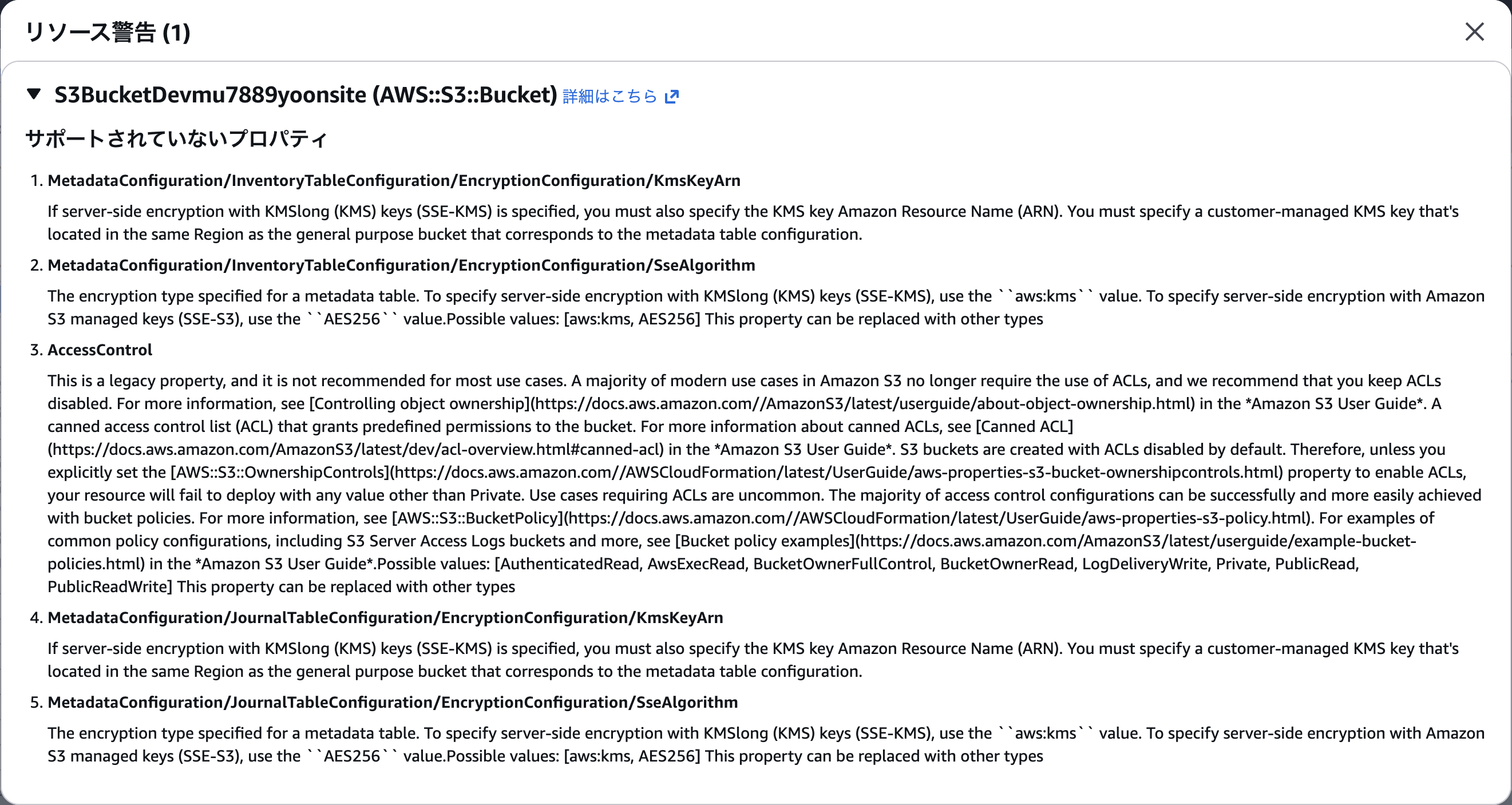
警告が出ていますが、ぱっと見問題なさそうです。
cdk migrationを実行
cdk migrate --stack-name sample-dev --from-path ./sample-dev.yaml --language typescript

SampleDevStack could not be generated because None is not implemented for ResourceValue::Object
めっちゃエラーが出ます。
どうやら、一発で動くものはなかなか出てこないようです。
AIと気合いで直していきます。
--- development/invalid-sample-dev.yaml 2026-01-18 18:42:15
+++ development/sample-dev.yaml 2026-01-18 20:10:05
@@ -34,7 +34,6 @@
           Id: "xxxxxxx.s3.us-east-1.amazonaws.com"
         ViewerCertificate:
           MinimumProtocolVersion: "TLSv1"
-          SslSupportMethod: "vip"
           CloudFrontDefaultCertificate: true
         PriceClass: "PriceClass_All"
         DefaultCacheBehavior:
@@ -43,8 +42,6 @@
           LambdaFunctionAssociations: []
           TargetOriginId: "xxxxxxx.s3.us-east-1.amazonaws.com"
           ViewerProtocolPolicy: "redirect-to-https"
-          GrpcConfig:
-            Enabled: false
           TrustedSigners: []
           FieldLevelEncryptionId: ""
           TrustedKeyGroups: []
@@ -81,12 +78,10 @@
     Type: "AWS::WAFv2::WebACL"
     DeletionPolicy: "Retain"
     Properties:
-      Description: ""
+      Description: "WAF for yoon website"
       DefaultAction:
         Block: {}
       Scope: "CLOUDFRONT"
-      OnSourceDDoSProtectionConfig:
-        ALBLowReputationMode: "ACTIVE_UNDER_DDOS"
       Rules:
       - Action:
           Allow: {}
@@ -160,7 +155,7 @@
     Properties:
       OriginAccessControlConfig:
         SigningBehavior: "always"
-        Description: ""
+        Description: "OAC for yoon website"
         SigningProtocol: "sigv4"
         OriginAccessControlOriginType: "s3"
         Name: "xxxxxxx.s3.us-east-1.amazonaws.com"
@@ -189,7 +184,6 @@
     Type: "AWS::S3::Bucket"
     DeletionPolicy: "Retain"
     Properties:
-      AbacStatus: "Disabled"
       PublicAccessBlockConfiguration:
         RestrictPublicBuckets: true
         IgnorePublicAcls: true
cdk migrationが通りました。
cdk importを実行
cdk import
sample-dev
start: Building sample-dev Template
success: Built sample-dev Template
start: Publishing sample-dev Template (current_account-current_region-e6a2e3aa)
success: Published sample-dev Template (current_account-current_region-e6a2e3aa)
sample-dev/CloudFrontCachePolicy (AWS::CloudFront::CachePolicy): enter Id (empty to skip) xxxxxxxx-xxxx-xxxx-xxxx-xxxxxxxxxxxx
sample-dev/CloudFrontOriginAccessControl (AWS::CloudFront::OriginAccessControl): enter Id (empty to skip) XXXXXXXXXXXXXX
sample-dev/S3BucketDevmu7889yoonsite (AWS::S3::Bucket): import with BucketName=xxxxxxx (y/n) y
sample-dev/WAFv2WebACLCLOUDFRONT (AWS::WAFv2::WebACL): enter Name (CreatedByCloudFront-xxxxxxxx)
sample-dev/WAFv2WebACLCLOUDFRONT (AWS::WAFv2::WebACL): enter Id (empty to skip) xxxxxxxx-xxxx-xxxx-xxxxxxxxxxxx
sample-dev/WAFv2WebACLCLOUDFRONT (AWS::WAFv2::WebACL): enter Scope (CLOUDFRONT)
sample-dev/CloudFrontDistribution (AWS::CloudFront::Distribution): enter Id (empty to skip) XXXXXXXXXXXXX
sample-dev: importing resources into stack...
sample-dev: creating CloudFormation changeset...
対話的な感じで物理IDなどを入力していきます。
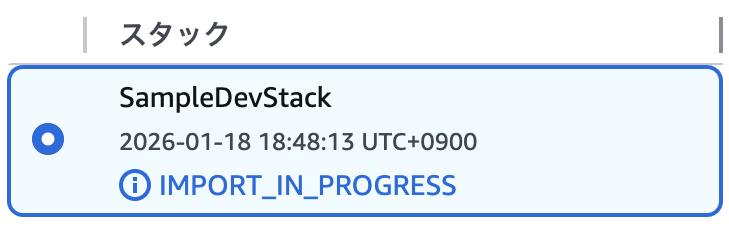
IMPORT_IN_PROGRESS 初めて見るステータスです。
 ✅  sample-dev
Import operation complete. We recommend you run a drift detection operation to confirm your CDK app resource definitions are up-to-date. Read more here: https://docs.aws.amazon.com/AWSCloudFormation/latest/UserGuide/detect-drift-stack.html
L1コンストラクトの状態でAWS CDKの管理下に置くことができました。
cdk driftを実行
Stack sample-dev
Modified Resources
[~] AWS::CloudFront::OriginAccessControl CloudFrontOriginAccessControl CloudFrontOriginAccessControl
 └─ [~] /OriginAccessControlConfig/Description
     ├─ [-] OAC for yoon website
     └─ [+]
これは、AIとの作業でゴニョゴニョした部分ですので、削除するだけでOKです。
まとめ
手動作成済みのリソースを、スキャンで洗い出してから、cdk migrate と cdk import を使ってAWS CDK管理下へ移せました。
cdk migrate は便利ですが、L1のままだとAWS CDKの旨味が薄いので、L2への書き換えなどを含めた、もう少し深い話を2026年2月1日に開催されるJAWS-UG 茨城 #11 CDK支部コラボ回でお話ししようと思います。
ではでは〜